












Trade in with Plug
Sell your old phone and tech
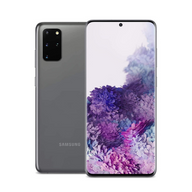
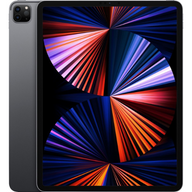
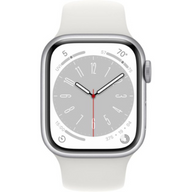
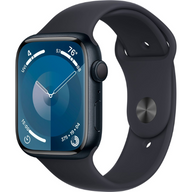
Yes, Plug buys used phones and tech. Trade in your iPhone, Samsung Galaxy, Google Pixel, iPad, Mac, Apple Watch or AirPods by mail: get an instant offer online, ship free with a prepaid label, and choose store credit or a digital payout after inspection.
Mail-in only. Mac computers only, no Windows laptops. Lost, stolen or activation-locked devices are not eligible.
Loading trade-in options…
We couldn’t load the trade-in widget. Please try again.
What Plug pays
A sample of current values. Find your exact device in the estimate for your own offer.
Phones
| Model | Up to |
|---|---|
| iPhone 17 Pro Max | Up to $973 |
| iPhone 16 Pro Max | Up to $781 |
| iPhone 15 Pro Max | Up to $576 |
| iPhone 14 Pro Max | Up to $472 |
| iPhone 13 | Up to $219 |
| Galaxy S25 Ultra | Up to $634 |
| Google Pixel 10 Pro | Up to $482 |
Mac and iPad
| Model | Up to |
|---|---|
| MacBook Air | Up to $1,040 |
| MacBook Pro | Up to $2,030 |
| Model | Up to |
|---|---|
| Apple iPad Air 13-inch M4 | Up to $700 |
| Apple iPad Pro 13-inch M5 Standard glass | Up to $924 |
Watch and audio
| Model | Up to |
|---|---|
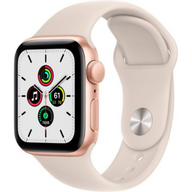
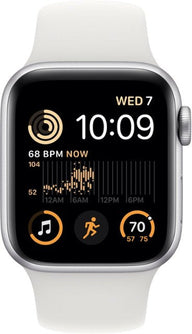
| Apple Watch Series 11 | Up to $180 |
| Apple Watch Ultra 3 | Up to $323 |
| Model | Up to |
|---|---|
| Apple AirPods Pro 3 | Up to $51 |
| Apple AirPods Max | Up to $181 |
“Up to” values are for the top storage option in the best condition. Prices move with the market, and your final offer follows inspection.
Get my instant offerHow Plug trade-in works
Start with an estimate. Prepare your device only when you are ready to send it in.
Find your device
Search for your exact model, then choose its storage and connectivity options.
Check its condition
Answer the device questions accurately to see your estimated trade-in value.
Submit and ship
Review your offer and payout options. Follow the shipping instructions and use the prepaid label provided for your mail-in offer.
Inspection and payment
We inspect your device after it arrives. Payment follows inspection; your online estimate is not a completed payout.
What devices can I sell?
Search the widget for your exact device. An offer depends on the model, configuration and condition you select; not every device or condition qualifies.
iPhone and Android phones
Look up Apple iPhone, Samsung Galaxy and Google Pixel models. Select the correct carrier or unlocked option and storage capacity.
Tablets and computers
Check the widget for your iPad or Mac model. Match the exact generation and specifications before reviewing an estimate.
Watches, audio and more
Browse the current Apple Watch, AirPods, Apple Pencil and gaming categories in the widget to check your model.
Cannot find your device?
Use the widget’s search first. If your exact model is missing or no offer is available, contact Plug before sending anything.
Trade-in questions, answered
Does Plug buy used phones and tech?
Yes. Plug’s trade-in program buys iPhone, Samsung Galaxy, Google Pixel, iPad, Mac, Apple Watch and AirPods models by mail. Find your device for an instant offer, ship it free with the prepaid label, and receive store credit or a digital payout after inspection. You do not need to buy anything from Plug.
Where is the best place to sell my phone?
It depends on what you value. Carrier and manufacturer trade-ins usually pay in bill credits or credit toward a new device. Marketplaces can pay more, but you handle the listing, the buyer and the shipping risk. Plug is a mail-in buyback: get an offer online, ship free with a prepaid label, and choose store credit or a digital payout after inspection. No new purchase is required.
Who pays the most for my phone?
Offers change often and depend on your exact model, storage, carrier and condition, so compare a few current quotes for the same device. Check whether each amount is cash or credit, whether shipping is free, and whether you have to buy something to get it. Plug’s current “up to” values are listed on this page, and your exact offer takes about a minute.
How much is my phone worth?
Your estimate depends on your exact model, storage, connectivity and answers about its condition. Select those details in the widget for a current estimate. The final value depends on inspection.
Can I sell a broken phone?
Some models include a broken-condition option. Choose your exact model and describe its condition accurately to check whether an offer is available. Do not send a device without completing the offer process.
Can I sell a carrier-locked phone?
Select the correct carrier option for your model in the widget. A carrier lock is different from Apple Activation Lock or a Google account lock. Devices reported lost or stolen, locked to an iCloud or Find My account, or restricted by device-management policies are not eligible. Remove personal accounts and activation locks before shipping; contact us first if you cannot remove them.
Is shipping free?
The prepaid shipping label provided for your mail-in offer is free to use. Pack your device securely and follow the carrier and drop-off instructions supplied with your label.
How can I receive my payout?
Choose Store Credit or select Choose Later to pick a digital payout method after inspection. Available options are shown in your offer and may include bank transfer, PayPal, Venmo, instant debit transfer and Cash App.
Do I have to buy a replacement device?
No. You can submit a buyback offer without placing a shopping order. If you choose Store Credit, you can use that credit toward a purchase.
When will I be paid?
Payment follows receipt and inspection of your device. Submitting an online offer does not trigger payment. Contact Plug if you need help with the status of your offer.
Do I need to erase my device to get an estimate?
No. Get an estimate first. When you are ready to ship, back up your data, sign out of your accounts, remove activation locks and factory-reset the device.
Before you ship your device
Complete these steps after reviewing your offer and shipping instructions. You do not need to erase your device to check its value.
Back up and transfer
Save the photos, files and other data you want to keep. Transfer anything you need to your next device before erasing this one.
Remove accounts and locks
Sign out of your Apple or Google account and turn off Find My or other activation locks. Unpair connected watches and remove device-management restrictions where applicable.
Erase your personal data
Factory-reset your device after backing it up and removing your accounts. Remove physical SIM and memory cards, and transfer your mobile service before removing an eSIM.
Pack and label securely
Use a sturdy box with cushioning so the device cannot move around. Follow your offer’s packing instructions, attach the provided label and keep your drop-off receipt.


