















Sell Your iPad Pro
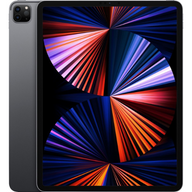
Trading in an iPad Pro? Plug prices each generation on its own, from the 9.7 and 10.5-inch models to the M5 iPad Pro in 11 and 13 inches, so check your size, chip and glass type in the tool. Get an estimate online, ship with a free prepaid label, and choose store credit or a digital payout after inspection.
Check its value before you erase it. Final value follows inspection.
What Plug pays for iPad Pro
iPad Pro 13-inch
| Model | Up to |
|---|---|
| Apple iPad Pro 13-inch M5 Standard glass | Up to $924 |
| Apple iPad Pro 13-inch M5 Nano-texture glass | Up to $924 |
| Apple iPad Pro 13-inch M4 Standard glass | Up to $825 |
| Apple iPad Pro 13-inch M4 Nano-texture glass | Up to $825 |
iPad Pro 11-inch
| Model | Up to |
|---|---|
| Apple iPad Pro 11-inch M5 Standard glass | Up to $865 |
| Apple iPad Pro 11-inch M5 Nano-texture glass | Up to $865 |
| Apple iPad Pro 11-inch M4 Standard glass | Up to $766 |
| Apple iPad Pro 11-inch M4 Nano-texture glass | Up to $766 |
| Apple iPad Pro 11-inch (4th generation) M2 | Up to $472 |
| Apple iPad Pro 11-inch (2nd generation) | Up to $316 |
| Apple iPad Pro 11-inch (1st generation) | Up to $227 |
| Apple iPad Pro 11-inch (3rd generation) M1 | Up to $464 |
iPad Pro 12.9-inch
| Model | Up to |
|---|---|
| Apple iPad Pro 12.9-inch (6th generation) M2 | Up to $581 |
| Apple iPad Pro 12.9-inch (5th generation) M1 | Up to $534 |
| Apple iPad Pro 12.9-inch (4th generation) | Up to $376 |
| Apple iPad Pro 12.9-inch (3rd generation) | Up to $277 |
| Apple iPad Pro 12.9-inch (2nd generation) | Up to $172 |
| Apple iPad Pro 12.9-inch (1st generation) | Up to $75 |
Earlier iPad Pro (9.7-inch and 10.5-inch)
| Model | Up to |
|---|---|
| Apple iPad Pro (10.5-inch) | Up to $107 |
| Apple iPad Pro (9.7-inch) | Up to $60 |
“Up to” values are for the top storage option in the best condition. Prices move with the market, and your final offer follows inspection.
Get my instant offerCheck your iPad Pro trade-in value
Search for your exact device below. Match its configuration and condition to see the available estimate. If your model is not listed, contact Plug before sending it.
Loading trade-in options…
We couldn’t load the trade-in widget. Please try again.
What lowers your iPad Pro offer
-
Chip generation and screen size
The M5 and M4 iPad Pros sit at the top, M2 and M1 models come next, and the earlier A-series models are priced lowest. The larger 12.9 and 13-inch screens are priced above the 11-inch of the same generation.
-
Glass type on M4 and M5 models
Standard glass and nano-texture glass are separate selections for the M4 and M5 iPad Pro. Choosing the wrong one means the estimate will not match what inspection finds, so check the matte, etched look before you pick.
-
A bent frame or damaged display
Big, thin iPad Pros flex, and a slight bend along the frame, cracked glass, dead pixels, burn-in or a broken Face ID sensor each lower the condition. Report anything you can see from a table with the screen off.
-
Cellular models and locks
Pick Wi-Fi or Wi-Fi with cellular, plus your exact storage. A device still under Activation Lock, or still managed by a school or employer, cannot be traded in until the lock is removed.
Plug cannot take iPad Pros locked by Find My or Activation Lock, tablets still under school or company management, or lost or stolen devices.
How much can I sell my iPad Pro for?
The generation, screen size, chip, storage, glass type, connectivity and condition of your iPad Pro all set the estimate. The tables on this page show the highest current estimate for each generation, and the tool prices your exact model. The final value follows inspection.
Where is the best place to sell an iPad Pro?
Trade-ins from Apple or a carrier usually pay in credit toward a new device. Marketplaces let you name a price, but you handle the listing, the buyer and the packing. Plug is a mail-in buyback with a free prepaid label, and you choose store credit or a digital payout after inspection.
Is it worth selling an old iPad Pro?
Usually yes if it still turns on and updates. Even earlier generations can carry an offer, though the amount drops with age. Check the tool for your exact iPad Pro, and if your model is not listed, contact Plug before sending it.
Can I sell an iPad Pro with a cracked screen?
The tool asks about the glass, the touch response and whether the tablet works. A crack lowers the offer, and a tablet with a badly failing display may not qualify. Answer honestly, and contact Plug first if your problem is not covered.
More questions about selling your iPad Pro
Should I send the Apple Pencil, Magic Keyboard or case?
Follow the instructions in your offer rather than assuming accessories are part of the iPad Pro estimate. An accessory you want to sell may have its own listing, so check or contact Plug before packing it.
What is the difference between standard glass and nano-texture glass?
Nano-texture glass is an etched, matte finish offered on some M4 and M5 iPad Pro models, and standard glass is the regular glossy finish. Both are separate selections in the tool. Look at the screen in a bright room to tell them apart.
Are 11-inch and 13-inch iPad Pros priced differently?
Yes. The larger screen usually carries a higher estimate than the 11-inch model of the same generation. The older large model is called the 12.9-inch iPad Pro, and the newer one is the 13-inch.
How do I prepare an iPad Pro to ship?
You do not need to erase it to check its value. When you are ready to send it, back up, sign out of your Apple Account, turn off Find My, erase all content and settings, and remove a SIM if you have a cellular model. Pack it in a rigid box with the prepaid label.
How to sell your device
Start with an estimate. Prepare your device only when you are ready to send it in.
Find your device
Find your exact model in the tool above and match its configuration before answering the condition questions.
Check its condition
Answer the device questions accurately to see your estimated trade-in value.
Submit and ship
Review your offer and payout options. Follow the shipping instructions and use the prepaid label provided for your mail-in offer.
Inspection and payment
We inspect your device after it arrives. Payment follows inspection; your online estimate is not a completed payout.
Before you ship your device
Prepare your device after reviewing your offer and shipping instructions. You do not need to erase it to check its value.
Back up your data
Save your photos, messages and other data, and transfer what you need to your next device before erasing this one.
Remove Find My and your accounts
Unpair any accessories, sign out of your Apple Account and remove Activation Lock. Resolve any device-management restrictions before shipping.
Erase and remove your SIM
After your backup and account removal, erase all content and settings. Transfer your mobile service before removing an eSIM, and take out any physical SIM card.
Pack and label securely
Follow your offer’s packing instructions. Use a sturdy box and cushioning, attach the provided shipping label and keep your drop-off receipt.


