

















Understanding iPad Generations: Which Plug Certified Model Is Right For You?
Updated on | 11 mins readUnderstanding iPad Generations: Which Plug Certified Model Is Right For You?
If you are currently evaluating which iPad to buy, you have likely realized that Apple’s tablet lineup is no longer a simple, straightforward list. You are looking at a grid of devices, and suddenly you are drowning in an alphabet soup of M-chips, A-chips, generation numbers, and varying screen sizes.
It is easy to get overwhelmed, especially when comparing recent releases with older models. You might be asking yourself: Which generation is too old? How long will this device actually be supported? Am I overpaying for features I will never use?
These are the exact questions you should be asking. The secret to buying an iPad today isn't necessarily buying the newest one on the shelf. It is about aligning your specific needs with the right generation, understanding the expected software lifespan, and maximizing your budget by choosing a Plug Certified device.
Let’s demystify the iPad lineup so you can make a confident, future-proof decision.
Decoding the iPad Lineup: Generations vs. Models
To make an informed choice, we first need to strip away the marketing jargon. Apple categorizes its iPads into four distinct product families, separated primarily by their internal processors and display technologies rather than just generation numbers.
Here is how the hierarchy breaks down:
- The Standard iPad: The entry-level device. Great for basic web browsing, media consumption, and elementary education.
- The iPad mini: The ultra-portable option. It packs high-end processing power into a one-handed form factor, favored by readers, travelers, and medical professionals.
- The iPad Air: The mainstream sweet spot. It borrows heavily from the Pro line, offering exceptional performance for students and creatives without the premium price tag.
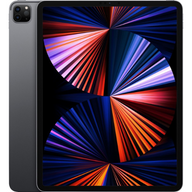
- The iPad Pro: The powerhouse. Built for heavy video editing, digital illustration, and laptop replacement workflows.
The confusion usually sets in because Apple updates these families on different schedules. For example, a 6th generation iPad mini is significantly more powerful than a 9th generation standard iPad. When evaluating options, you should look at the chip inside the device rather than the generation number attached to its name.
The Lifeline of Your iPad: iPadOS Support and Chip Performance
The biggest fear when buying a device that isn't the latest release is that it will quickly become obsolete. Understanding Apple’s software update cycle is your best defense against buying an outdated tablet.
Historically, iPads receive continuous iPadOS support for an average of 5 to 6 years after their initial release date, with some models extending up to 8 or 9 years for essential security updates. However, this longevity is directly tied to the internal processor (the chip) and the amount of RAM.
Currently, the iPad ecosystem is split between two types of chips:
- A-Series Chips (e.g., A14, A15, A16, A17 Pro): Originally designed for the iPhone, these chips power the standard iPad and iPad mini. They are incredibly efficient and easily handle daily tasks and light gaming.
- M-Series Chips (e.g., M1, M2, M4, M5): Originally designed for MacBooks, these desktop-class chips power the iPad Air and iPad Pro lines.
If longevity is your primary concern, an iPad featuring an M-Series chip offers the longest runway. The sheer processing power and higher RAM in these devices mean they will comfortably handle future, more demanding iPadOS updates well into the late 2020s and early 2030s.
Generation-by-Generation Breakdown: Finding Your Perfect Match
To help you navigate the current market, here is a breakdown of the most relevant models available, tailored to different use cases and budgets.
Budget Buyers and Students: The Standard iPad Family
If your primary goals are taking notes, watching Netflix, and writing emails, you do not need an M-series chip.
- iPad 10th Generation (A14 chip): This model introduced the modern, bezel-less design and USB-C to the standard lineup. A Plug Certified 10th generation model is currently one of the best budget buys on the market, offering years of remaining iPadOS support.
- iPad 11th Generation (A16 chip): The newer standard model offers a slight performance bump. However, unless you are utilizing highly intensive apps, you may not notice the difference between this and the 10th generation in everyday use.
The Mainstream Sweet Spot: The iPad Air Family
For 80% of buyers, the iPad Air is the perfect tablet.
- iPad Air 5th Generation (M1 chip): This is where smart buyers find immense value. The M1 chip is so powerful that it still outpaces many modern laptops. A Plug Certified iPad Air 5th Gen gives you desktop-class performance at a fraction of the cost of new retail models.
- iPad Air (M2 & M4 chips): The newer Air models boast incredible speed and advanced features. The M4 iPad Air is widely considered the ultimate mainstream choice today, but it carries a higher price tag.
Power Users and Creatives: The iPad Pro Family
If your iPad is your primary computer, or you are rendering 4K video and complex digital art, the Pro is your only choice.
- iPad Pro (M2 chip): Featuring advanced display technology and hover capabilities for the Apple Pencil, a Plug Certified M2 Pro is an incredibly wise investment for graphic designers and photographers who want pro-level specs without the top-tier 2026 pricing.
- iPad Pro (M4 & M5 chips): These represent the absolute cutting edge, featuring OLED displays and unprecedented processing power. They are magnificent, but strictly necessary only for those who push their hardware to the absolute limit.
Ultra-Portable Power: The iPad mini Family
- iPad mini 6th Generation (A15 chip): The first mini to feature the modern flat-edge design and USB-C. It remains a highly capable device for reading and travel.
- iPad mini 7th Generation (A17 Pro chip): A major leap forward, bringing console-level gaming capabilities and advanced AI support to the smallest screen.
Navigating the Accessory Ecosystem: Which Apple Pencil Do You Need?
One of the most frustrating aspects of buying an iPad is figuring out accessory compatibility. Buying the wrong Apple Pencil is a common pitfall. Here is a quick compatibility guide to keep you on track:
- Apple Pencil (1st Generation): Uses a Lightning connector. Compatible with older iPads with home buttons (up to the iPad 9th Gen) and the iPad 10th Gen (which frustratingly requires a USB-C adapter).
- Apple Pencil (2nd Generation): Charges magnetically on the side of the device. Compatible with iPad mini 6, iPad Air (4th and 5th Gen/M1), and older iPad Pro models (up to M2).
- Apple Pencil (USB-C): A budget-friendly option that works with all iPads featuring a USB-C port, but lacks pressure sensitivity.
- Apple Pencil Pro: The newest stylus, featuring squeeze controls and haptic feedback. It is exclusively compatible with the newest iPad Air (M2/M4) and iPad Pro (M4/M5) models.
Always verify your specific iPad model's compatibility before purchasing accessories, as generation numbers alone can be deceiving.
Models to Avoid: Spotting Outdated Competitor Stock
When browsing competitor shopping grids, you will often see remarkably cheap iPads. Be cautious. Many retailers quietly offload severely outdated stock to unsuspecting buyers.
Models to actively avoid today include:
- Standard iPad 6th, 7th, and 8th Generations: These models are approaching or have already hit the end of their iPadOS support lifespans. They feature older, slower chips that struggle with modern apps, and their batteries have likely degraded significantly.
- Any iPad Air older than the 4th Generation: Older Airs lack the processing power necessary for current multitasking features.
- Any iPad featuring a Lightning port (except the standard 9th Gen on a strict budget): USB-C is now the universal standard. Buying a Lightning-based iPad limits your accessory options moving forward.
Why Choose a Plug Certified iPad?
Navigating this complex landscape is exactly why we created the Plug Certified standard. We believe you shouldn't have to choose between taking a risk on an untested, used device from a marketplace and paying exorbitant retail prices for brand-new technology.
When you purchase a Plug Certified iPad, you are receiving a device that has undergone a rigorous, multi-point software and hardware diagnostic test. We verify battery health, screen integrity, and full functionality to ensure the tablet performs flawlessly.
More importantly, every device is backed by Plug's 12-Month Warranty and a 30-day hassle-free return policy. You get the quality assurance and peace of mind of a new purchase, paired with the intelligent financial savings of a certified by Plug device.
Frequently Asked Questions (FAQ)
Can I still use an older iPad generation in 2026?
Yes, provided it still receives iPadOS updates. Devices featuring an A14 chip (like the iPad 10th Gen) or an M1 chip (like the iPad Air 5th Gen) still have years of active support ahead of them and function beautifully today.
How do I know if an iPad is too old to buy?
Check the internal chip and the release year. As a general rule, avoid purchasing any iPad released more than 5 years ago, as it is likely nearing the end of its software support window. Always prioritize M-series chips or A14/A15 and newer.
Does an older iPad mean a bad battery?
It can, if you buy it from an unverified source. However, every Plug Certified device is rigorously tested to ensure optimal battery health and performance before it reaches your hands.
Are Plug Certified devices the same as standard used iPads?
No. A standard used iPad comes with unknowns regarding hardware health, battery life, and internal damage. Plug Certified devices are professionally tested, cleaned, and guaranteed by Plug's 12-Month Warranty, removing the risk from your evaluation process.
Making Your Final Decision
Choosing the right iPad doesn't have to be a guessing game. If you want a dependable daily driver, look toward the standard 10th or 11th generation. If you want the best balance of longevity, power, and price, a Plug Certified M1 or M2 iPad Air is arguably the smartest tech purchase you can make today. And if you need uncompromised power, the iPad Pro lineup awaits.
By understanding what is under the hood and avoiding outdated stock, you are fully equipped to choose a tablet that will serve you well for years to come.


