












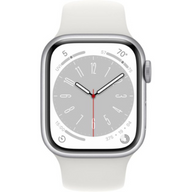






Maximizing Your Plug Certified Apple Watch Experience
Updated on | 9 mins readYou’ve done your research, weighed your options, and made the smart decision to invest in a Plug Certified Apple Watch. But acquiring the device is just the first step in your journey. To truly get the most out of your wearable technology, you need to know how to optimize its daily performance, protect its longevity, and customize it to fit seamlessly into your lifestyle.
Whether you are trying to squeeze every drop of power out of your battery, looking for the perfect band to match your style, or setting up a device for your child, having the right post-purchase strategy changes everything. Let’s dive into exactly how you can maximize your Plug Certified Apple Watch experience from day one.
Mastering Apple Watch Battery Life and Longevity
One of the most common questions we hear from new Apple Watch owners revolves around battery life. It is the heartbeat of your device, and understanding how to manage it will dramatically improve your daily experience.
Industry benchmarks show that a typical Apple Watch, like the Series 8, delivers about 18 hours of battery life under normal use. However, with the right adjustments, particularly utilizing Low Power Mode, you can extend that up to an impressive 36 hours.
The 80% Rule and Battery Health
When evaluating the long-term viability of your watch, maximum capacity is the metric that matters most. A battery is generally considered to be in good health if its maximum capacity remains above 80%. Every Plug Certified Apple Watch undergoes rigorous testing to ensure the battery meets our strict performance standards before it ever reaches your wrist.
To check your current standing, simply navigate to Settings > Battery > Battery Health right on your watch. Monitoring this over time gives you a clear picture of your device's stamina.
Proven Settings to Extend Daily Power
If you find your battery draining faster than expected, a few quick settings adjustments can make a world of difference:
- Manage Background App Refresh: Not every app needs to constantly pull data in the background. Turn this off for non-essential apps in your settings to save significant power.
- Adjust the Always-On Display: While having your watch face perpetually visible is convenient, toggling the Always-On display off—or creating a shortcut to disable it during work hours—drastically reduces energy consumption.
- Optimize Fast Charging: If you are using a Series 7 or newer, leverage fast charging. With the appropriate charging dock, you can boost your battery from 0 to 50% in just about 30 minutes, giving you a rapid infusion of power before a workout or a night out.
Navigating Battery Replacements and Long-Term Care
Even with perfect charging habits, lithium-ion batteries naturally degrade over time. Part of maximizing your investment is understanding your long-term repair and replacement options.
If you ever need a battery replacement down the line, transparency around costs is vital. Official Apple out-of-warranty battery replacements average around $99. On the other hand, the tech-savvy community often turns to DIY repair kits from sites like iFixit, which range from $20 to $45. While local certified repair shops often provide faster, more affordable services with excellent customer ratings, you need to be careful about who opens your device.
This is exactly why choosing a device certified by Plug is such a powerful advantage. Your purchase is backed by Plug's 12-Month Warranty. If you experience unexpected battery failure or hardware issues within your first year, you are completely covered, eliminating the risk normally associated with pre-owned electronics.
Curating Your Setup: The Best Apple Watch Accessories
An Apple Watch is incredibly personal. The bands and accessories you choose dictate whether it feels like a rugged fitness tracker, a high-end timepiece, or a dedicated communication tool.
Apple Watch Bands for Women and Men
The right band transforms the aesthetic of your watch instantly.
- For Men: Stainless steel link bracelets and rugged silicone bands offer durability and a classic profile. If you have an active lifestyle, look for breathable sport loops that handle sweat and outdoor conditions effortlessly.
- For Women: Milanese loops, slim leather straps, and braided solo loops offer a sleek, refined look that transitions perfectly from the gym to the office.
Because you saved money by choosing a Plug Certified device instead of buying new, you have more budget flexibility to build a diverse collection of bands for different occasions.
Protective Gear and Charging Docks
Don't overlook device protection. A subtle, snap-on screen protector can prevent scratches without adding bulk to the watch face. Additionally, investing in a multi-device charging dock that powers your iPhone, AirPods, and Apple Watch simultaneously keeps your nightstand organized and ensures all your tech is at 100% when you wake up.
Family Connectivity: The Best Apple Watch for Kids
The Apple Watch has rapidly become the preferred way for parents to stay connected with their children without handing over a fully unlocked smartphone.
Using Apple’s Family Setup feature, you can pair a child’s Apple Watch directly to your iPhone. This allows them to have their own phone number, make calls, and send messages to approved contacts, all while giving you location-tracking capabilities.
When choosing the best Apple Watch for kids, a Plug Certified Apple Watch SE is widely considered the ultimate sweet spot. It offers all the essential safety and connectivity features—like Crash Detection and Emergency SOS—without the premium price tag of the flagship models. Pair it with a durable, washable nylon or silicone sport band, and you have a resilient, kid-friendly communication device.
Securing the Best Apple Watch Deals
The technology market moves fast, and timing your purchase can sometimes feel like a guessing game. However, because Plug operates outside the traditional retail cycle of brand-new devices, you don't have to wait for Black Friday to find incredible Apple Watch deals.
By regularly checking our inventory, you can find the exact model, color, and size you want at a fraction of the retail cost. Whether you are upgrading from an older generation or buying your very first smartwatch, our transparent pricing model ensures you are always getting premium technology at an accessible price point.
Frequently Asked Questions
Why is my Apple Watch battery draining so fast after a recent software update?It is incredibly common for an Apple Watch to experience rapid battery drain for 24 to 48 hours following a major watchOS update. The device is re-indexing data and optimizing apps in the background. If the drain persists after a few days, try unpairing and re-pairing the watch to your iPhone, which resolves most persistent software-related power issues.
Does Plug's 12-Month Warranty cover battery issues?Yes. Plug's 12-Month Warranty covers manufacturer defects and hardware malfunctions, ensuring your device operates reliably. If the battery performance falls outside of expected functional standards within that first year, we have you covered.
Can I use any charging cable with my Plug Certified Apple Watch?While third-party cables will technically work, we highly recommend using Apple-certified (MFi) magnetic chargers. Specifically, to take advantage of the 0-50% in 30 minutes fast-charging feature on newer models, you must use a fast-charging USB-C cable paired with a high-wattage power adapter.
Are Plug Certified devices waterproof?Apple Watches are water-resistant, not waterproof. While models like the Series 7 and 8 are designed to handle swimming and showering, water resistance naturally diminishes over time. We recommend avoiding high-velocity water activities (like water skiing) and keeping the watch away from soaps and lotions, which can degrade the water seals.
Your Next Steps
Your Apple Watch is more than just a timepiece; it is a fitness coach, a communication hub, and a personal assistant right on your wrist. By actively managing your battery health, choosing the right accessories, and leveraging Family Setup for your kids, you turn a great piece of technology into an indispensable part of your daily life.
Ready to enhance your tech ecosystem even further? Explore our latest accessories to complement your watch, or browse our current inventory of Plug Certified iPhones to ensure your devices are seamlessly paired and performing perfectly.


