






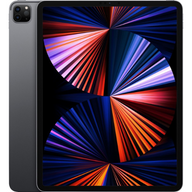



iPad Trade-In Value: What Is Your iPad Worth?
An iPad's trade-in value depends on its family, generation, storage, Wi-Fi or cellular build and condition. This guide lists the most Plug pays for each iPad Pro, Air, mini and standard iPad generation, and links to an estimate with a free prepaid shipping label.
Check its value before you erase it. Final value follows inspection.
iPad trade-in values
iPad Pro
| Modelo | Hasta |
|---|---|
| Apple iPad Pro 11-inch M5 Standard glass | Hasta $865 |
| Apple iPad Pro 13-inch M5 Standard glass | Hasta $924 |
| Apple iPad Pro 11-inch M5 Nano-texture glass | Hasta $865 |
| Apple iPad Pro 13-inch M5 Nano-texture glass | Hasta $924 |
| Apple iPad Pro 11-inch M4 Standard glass | Hasta $766 |
| Apple iPad Pro 13-inch M4 Standard glass | Hasta $825 |
| Apple iPad Pro 11-inch M4 Nano-texture glass | Hasta $766 |
| Apple iPad Pro 13-inch M4 Nano-texture glass | Hasta $825 |
| Apple iPad Pro 11-inch (4th generation) M2 | Hasta $472 |
| Apple iPad Pro 12.9-inch (6th generation) M2 | Hasta $581 |
| Apple iPad Pro 12.9-inch (5th generation) M1 | Hasta $534 |
| Apple iPad Pro 11-inch (2nd generation) | Hasta $316 |
| Apple iPad Pro 12.9-inch (4th generation) | Hasta $376 |
| Apple iPad Pro 11-inch (1st generation) | Hasta $227 |
| Apple iPad Pro 12.9-inch (3rd generation) | Hasta $277 |
| Apple iPad Pro 12.9-inch (2nd generation) | Hasta $172 |
| Apple iPad Pro 11-inch (3rd generation) M1 | Hasta $464 |
| Apple iPad Pro (10.5-inch) | Hasta $107 |
| Apple iPad Pro (9.7-inch) | Hasta $60 |
| Apple iPad Pro 12.9-inch (1st generation) | Hasta $75 |
iPad Air
| Modelo | Hasta |
|---|---|
| Apple iPad Air 13-inch M4 | Hasta $700 |
| Apple iPad Air 11-inch M3 | Hasta $536 |
| Apple iPad Air 13-inch M3 | Hasta $636 |
| Apple iPad Air 11-inch M2 | Hasta $487 |
| Apple iPad Air 13-inch M2 | Hasta $617 |
| Apple iPad Air 5 | Hasta $263 |
| Apple iPad Air 4 | Hasta $187 |
| Apple iPad Air 3 | Hasta $121 |
iPad mini
| Modelo | Hasta |
|---|---|
| Apple iPad Mini 7 | Hasta $427 |
| Apple iPad Mini 6 | Hasta $237 |
| Apple iPad Mini 5 | Hasta $126 |
| Apple iPad Mini 4 | Hasta $48 |
iPad
| Modelo | Hasta |
|---|---|
| Apple iPad (11th generation) | Hasta $358 |
| Apple iPad (10th generation) | Hasta $233 |
| Apple iPad (9th generation) | Hasta $168 |
| Apple iPad (8th generation) | Hasta $103 |
| Apple iPad (7th generation) | Hasta $84 |
| Apple iPad (6th generation) | Hasta $63 |
Los valores “hasta” corresponden a la mayor capacidad en la mejor condición. Los precios cambian con el mercado y tu oferta final depende de la inspección.
Obtener mi oferta al instanteWhat decides your iPad's trade-in value
Start with the family. iPad Pro, iPad Air, iPad mini and the standard iPad are priced in separate ranges. Within a family the generation matters most, since each newer chip and display moves an iPad up the table. Storage raises the value inside a generation, and a cellular model can be priced differently from a Wi-Fi only one. Condition finishes the job: a clear screen, straight frame and a battery that lasts the day keep the offer at the top of its range.
How to find your iPad's exact generation
Open Settings, then General, then About. The Model Name and Capacity lines are what the estimate needs. iPads of different generations can look almost the same, so the model name is more reliable than the case. If it only shows a model number that starts with the letter A, look that number up on Apple's support page to get the generation.
Also note whether yours has a SIM tray or cellular data, since it changes which option you pick.
Which iPad generations get an offer
Older generations, especially early iPad mini and standard iPad models, may not have an offer at all. The table lists the generations Plug currently prices, and a row that says to see your offer means the amount is shown in the estimate. If your generation is not listed, start an estimate anyway: the estimate is the final word on whether your exact model is accepted right now.
When to trade in your iPad and when to keep it
Tablets tend to lose value in steps, when a new generation replaces the one before it, and older generations fall out of the table altogether at some point. If you have stopped using your iPad, or you already own a newer one, checking now is safer than waiting. If it is still your daily reading or drawing screen, keep it, and check again when you are ready.
The table shows when its figures were last updated.
How Plug compares with trade-in credit programs
This table compares how each option works, not dollar amounts, which vary by generation and promotion. Check each program's current terms.
| Plug trade-in | Apple trade-in | Carrier or store trade-in | |
|---|---|---|---|
| What you receive | A payout method you choose after inspection. Store credit and other options vary by offer. | Credit toward a new Apple purchase. | Usually credit that is spent with that carrier or retailer. |
| Purchase required | No. You do not need to buy anything. | Yes. The credit applies to an Apple purchase. | Often yes, tied to a new device, line or plan. |
| Getting it there | Estimate online, then ship with a free prepaid label. | Done through Apple with a new order. | Done through the carrier or store. |
| Final value | Confirmed after inspection against the condition you reported. | Set by Apple's own assessment. | Set by their own assessment and promotion terms. |
How to get the best offer for your iPad
Sign out of your Apple account, turn off Find My iPad and erase the tablet before it ships. Take off any case and keyboard you want to keep, and remove the SIM if it has one. Report scratches and screen marks accurately so the estimate matches what Plug finds, then ship with the free prepaid label.
Quick answers for iPad value questions
Short answers to the most common questions.
| Question | Short answer |
|---|---|
| Is cellular worth more than Wi-Fi? | It can be. The estimate asks which yours is. |
| Do accessories change the value? | The estimate is for the iPad itself, so keep your case, keyboard and Pencil. |
| Can I trade in a cracked iPad? | Cracks lower the offer. Report them in the condition step. |
| Which iPads cannot be accepted? | Lost, stolen, iCloud or Find My locked, and managed devices. |
Check your iPad trade-in value
Search for your exact device below. Match its configuration and condition to see the available estimate. If your model is not listed, contact Plug before sending it.
Cargando opciones de canje…
No pudimos cargar el widget de canje. Inténtalo de nuevo.
How much is my iPad worth?
It depends on the family, generation, storage, Wi-Fi or cellular build and condition. The table shows the most Plug pays for each iPad generation it prices. Enter your storage and condition in the estimate to see the amount for your iPad.
When is the best time to trade in an iPad?
Sooner tends to be better. Values step down when a newer generation replaces yours, and the oldest generations may stop having an offer. If you have already replaced your iPad, check your estimate now.
Is it better to sell or trade in an iPad?
A private sale can ask a higher price, but you handle the listing, the buyer and the payment. A trade-in with Plug is an online estimate, a free prepaid shipping label and one inspection, with no purchase required.
What affects iPad trade-in value?
Family and generation, storage, cellular or Wi-Fi only, and condition. Screen damage, bent frames and battery problems lower the offer. Locked, lost, stolen or managed iPads cannot be accepted.
More questions about selling your iPad
Can I trade in an iPad without buying a new one?
Yes. Plug does not require a purchase. You choose a payout method after inspection, and store credit and other options are offered depending on your offer.
Does Plug take older iPad generations?
Some older generations may not have an offer. The table lists the generations Plug prices now, and the estimate confirms whether your exact model is accepted.
How do I prepare my iPad for a trade-in?
Back up your data, sign out of your Apple account, turn off Find My iPad and erase the tablet. Remove any SIM and case, then ship with the prepaid label from your estimate.
Is the estimate the final amount?
The estimate is based on what you tell us about the iPad. The final value is confirmed after Plug inspects it and reflects the condition we find.


