


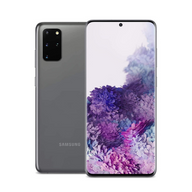



Upgrading Your Boost Mobile Phone with a Plug Certified Device: What to Expect
Updated on | 8 mins readUpgrading Your Boost Mobile Phone with a Plug Certified Device: What to Expect
We’ve all been there. You’re staring at a cracked screen, dealing with a battery that barely makes it to lunchtime, or simply wishing you had the better camera on the newest iPhone model. But when you log into your carrier’s website to check your upgrade options, the retail price of a brand-new device is enough to make you hold onto your struggling phone for just a little bit longer.
If you’re a Boost Mobile customer, you might think your only choices are signing up for an expensive new financing plan or settling for a budget device that doesn't really excite you.
Here is the "aha moment" that changes the way smart consumers shop for tech: You don't have to buy your phone from your carrier to keep your carrier's service.
Upgrading outside the carrier ecosystem—specifically by choosing a Plug Certified device—is becoming the go-to strategy for savvy tech users. It allows you to maintain your affordable Boost Mobile plan while getting a premium, high-quality device at a fraction of the cost.
If you’re wondering how this works, you’re in the right place. Let's walk through exactly what you can expect when upgrading your Boost Mobile phone with a device certified by Plug.
The Foundation: What Exactly is a Plug Certified Device?
Before diving into the "how-to" of transferring your service, we need to clear up one of the most common points of confusion in the mobile world: the difference between a used phone and a Plug Certified phone.
When people think of buying a phone outside of their carrier, they often imagine meeting a stranger from the internet in a coffee shop, crossing their fingers that the device isn't stolen or broken.
A certified Plug device is the complete opposite of that risky scenario.
Every Plug Certified device undergoes a rigorous 90+ point inspection process. Software functionality, battery health, screen responsiveness, and internal components are all meticulously tested and verified. Only the devices that pass this comprehensive vetting process earn the title of being certified by Plug.
To give you absolute peace of mind, these devices are backed by Plug's 12-Month Warranty. You get the premium experience of unboxing a top-tier iPhone or Android without the premium price tag, along with the guarantee that the device is fully functional and ready to connect to your network.
Pre-Upgrade Checklist: Ensuring Compatibility
The secret to a seamless transition lies in a little bit of preparation. While Plug ensures the hardware is flawless, you want to make sure your new device will shake hands perfectly with Boost Mobile’s network.
1. The Unlocked Advantage
Carriers often lock the phones they sell so they can only be used on their specific networks. When you purchase a Plug Certified phone, you can choose an "Unlocked" model. An unlocked phone is a free agent—it isn't tied to Verizon, AT&T, or T-Mobile. It is ready and waiting to connect to Boost Mobile's network right out of the box.
2. The IMEI Check
Every phone has a unique fingerprint called an IMEI (International Mobile Equipment Identity) number. Once you have your new Plug Certified device in hand, you can easily verify its compatibility by typing the IMEI into the "Bring Your Own Phone" compatibility checker on the Boost Mobile website or app. Because you chose an unlocked model, it should pass with flying colors.
Step-by-Step: The Upgrade and Activation Process
Upgrading your device yourself might sound like a highly technical process, but today’s technology has made it surprisingly simple. Here is exactly what you need to do once your new device arrives at your doorstep.
Step 1: Backup Your Old Phone
Before you do anything with your cellular service, make sure your data is safe.
- For iPhone users: Back up your current phone to iCloud or your computer.
- For Android users: Ensure your Google account is synced and your photos are backed up to Google Photos.
Step 2: Transfer Your Data
Turn on your new Plug Certified device and place it next to your old phone. Both Apple and Android have intuitive, on-screen setup guides (like Apple's "Quick Start") that will wirelessly transfer your contacts, photos, and apps in minutes.
Step 3: Activate on Boost Mobile
Once your data is transferred, it’s time to move your phone number and service.
- Physical SIM Cards: If your old phone has a physical SIM card and your new phone has a SIM slot, simply use a paperclip or SIM ejector tool to pop the card out of your old phone and slide it into the new one.
- eSIM / App Activation: Many newer phones (like the iPhone 14 and newer) use eSIM technology—a digital SIM card. Simply download the Boost Mobile app on your new device, log into your account, and follow the prompts to "Swap Devices." The app will guide you through activating the digital SIM automatically.
Step 4: Handle Your Trade-In (Optional)
If you are participating in a trade-in program, ensure your old phone is completely factory reset. Turn off "Find My iPhone" or Google's device protection, erase all content and settings, and follow the shipping instructions provided by your trade-in partner.
Common Upgrade Myths Debunked
The cellular industry has trained us to believe certain myths over the years. Let’s clear the air so you can make empowered decisions.
Myth 1: "I will lose my legacy Boost Mobile plan if I upgrade my phone."Fact: Upgrading your hardware independently of your carrier allows you to keep your exact current plan. Because you are simply swapping the device on your account via the Boost app or a SIM swap, your monthly bill and plan features remain completely untouched.
Myth 2: "If I don't buy from the carrier, my phone isn't protected."Fact: Buying a Plug Certified device means you are covered by Plug's 12-Month Warranty. While Boost Protect (Boost's monthly insurance) typically covers devices purchased directly from them, the warranty provided by Plug ensures you are protected against hardware defects for a full year—often at zero monthly cost to you.
Frequently Asked Questions (FAQ)
Are there hidden activation fees when I bring my own phone to Boost Mobile?Generally, if you are simply swapping an active SIM card into a new unlocked device, there is no activation fee. If you need a completely new SIM card or eSIM provisioned, there may be a nominal setup fee depending on your specific account, but doing it yourself through the Boost Mobile app usually avoids in-store service charges.
Can I use any iPhone on Boost Mobile?As long as the iPhone is unlocked and its software is up to date, it will work beautifully on Boost Mobile’s network. Always select "Unlocked" when choosing your device.
What happens if I experience an issue with my new device?Because your device is certified by Plug, any hardware malfunctions within the first year are covered by Plug's 12-Month Warranty. You deal directly with Plug's dedicated customer service team rather than navigating the carrier's repair labyrinth.
Your Next Steps to a Smarter Upgrade
Understanding how carrier networks and independent device upgrades work puts the power back in your hands. You no longer have to choose between a cracked screen and an inflated monthly phone bill.
By separating your cellular service from your device purchase, you unlock the ultimate "hack" of the modern tech world: keeping your affordable Boost Mobile data plan while rocking a premium, fully-inspected, and warranty-backed device.
Ready to see what devices are waiting for you? Start by exploring the different unlocked, Plug Certified models available. Look for the features that matter most to you—whether that’s battery life, camera quality, or storage space—knowing that the transition to your existing network will be smoother than you ever thought possible.


