













Choosing Your Plug Certified MacBook: Expert Guides & Comparisons
Updated on | 7 mins readChoosing Your Plug Certified MacBook: Expert Guides & Comparisons
You are in the middle of your evaluation journey. You already know you want the reliability, seamless integration, and longevity of Apple's macOS ecosystem—perhaps to pair perfectly with your iPhone. But you also recognize that paying full retail price for brand-new hardware isn’t always the most strategic financial move.
That is exactly where a Plug Certified device changes the equation. By opting for technology rigorously tested and certified by Plug, you bridge the gap between premium performance and accessible pricing. But with a vast lineup of options, chip generations, and form factors available, which model actually fits your specific workflow?
This comprehensive guide will walk you through the comparative frameworks you need to make a confident, data-backed decision.
Why a Plug Certified Device Makes Strategic Sense
The pre-owned electronics market is often plagued by uncertainty. Buyers worry about hidden hardware defects, degraded batteries, and lackluster support. We understand these anxieties, which is why we don't just sell used laptops—we deliver an ecosystem built on uncompromising quality assurance.
Every device in our inventory undergoes a rigorous certification process to ensure optimal functionality and appearance. But you don't have to take our word for it; the data speaks for itself. Customers consistently rate their experience highly, resulting in a 4.8/5 rating across thousands of plug tech reviews.
To completely eliminate perceived risk, every device is backed by Plug's 12-Month Warranty and a 30-day hassle-free return policy. When comparing your options, knowing that a comprehensive plug tech warranty protects your investment allows you to focus purely on which specs meet your technical requirements.
Comparing the Heavyweights: MacBook Air vs. MacBook Pro
The most common decision our customers face when browsing macbooks is choosing between the Air and the Pro. Your choice should be dictated by your daily workflow rather than just your budget.
MacBook Air: The Champion of Portability
The Air is defined by its fanless design, meaning it operates in absolute silence. It is incredibly thin and lightweight, making it the undisputed king of portability. If your day consists of web-based applications, writing, managing spreadsheets, and endless Zoom calls, the Air provides more than enough horsepower without weighing down your bag.
MacBook Pro: Built for Sustained Workloads
The Pro lineup introduces active cooling (fans) and robust thermal management. Why does this matter? When rendering 4K video, compiling massive codebases, or running intensive 3D modeling software, processors generate significant heat. The Pro's cooling system prevents the chip from throttling its speed, ensuring you maintain peak performance during sustained, heavy workloads.
Decoding Apple Silicon: M2, M3, and M4 Differences
The generational leap in Apple's custom silicon has revolutionized laptop performance, but understanding exactly what you are paying for is critical.
According to recent benchmark data from MacObserver, the latest M4 chip models outperform M2 Air models by roughly 22% in raw processing power. For high-end professional workflows, that 22% performance bump translates directly into hours of time saved every single week.
However, if you are not pushing the absolute limits of processing power, an M2 or M3 chip remains incredibly capable. For the vast majority of standard business and personal tasks, selecting an earlier generation plugtech MacBook offers a virtually identical user experience while keeping your upfront costs remarkably low.
Screen Size Strategy: 13-inch vs. 15-inch (and Beyond)
Display size fundamentally impacts how you interact with your machine. According to community consensus across tech forums like Reddit, the choice between display sizes boils down to a strict trade-off between mobility and workspace real estate.
- 13-inch and 14-inch Models: Highly favored for maximum portability. These sizes fit comfortably on an airplane tray table or seamlessly into a small tote bag. They are ideal if you frequently move between offices, coffee shops, and home.
- 15-inch and 16-inch Models: The go-to for multimedia tasks and complex multitasking. If you do not regularly connect your laptop to an external desktop monitor, the extra screen real estate is vital. It prevents endless window-juggling and provides a much more comfortable canvas for creative tools and massive spreadsheets.
The Curveball: MacBook vs. iPad Pro for Professionals
It is a common mid-funnel dilemma: should you buy a traditional laptop, or is a high-end tablet enough?
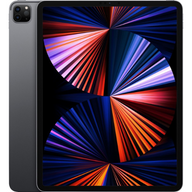
The latest iPad Pro models feature a tandem OLED display that offers demonstrably superior visual quality, deep blacks, and the versatility of a touch-first interface. For digital illustrators or users who prioritize media consumption, it is a phenomenal device.
However, the iPad lacks the native macOS software ecosystem. If your workflow relies on full desktop versions of applications, complex Excel macros, or background file management, a laptop remains the undisputed champion. You simply cannot replicate the efficiency of macOS on an iPad.
Frequently Asked Questions (FAQ)
Are certified devices actually reliable?
Absolutely. Devices certified by Plug undergo extensive testing covering everything from battery health to keyboard tactile response. Our stringent quality control is designed to bridge the gap between new and pre-owned, delivering a reliable device at a fraction of the cost.
What about international price hunting?
If you've ever found yourself hunting down a MacBook pro m1 pro price japan just to find a reliable global deal, you know how stressful cross-border price matching and shipping can be. Plug offers transparent, highly competitive pricing directly in the U.S., paired with free shipping on all orders.
What happens when my device arrives?
Once you make your choice, getting started is seamless. To help with the transition, we provide a dedicated guide on setting up your plugtech MacBook, covering everything from initial data transfers to optimizing your battery settings.
Your Next Steps: Buying with Confidence
Selecting the right device shouldn't feel like a gamble. By evaluating your true performance needs, deciding on the right screen size, and choosing a trusted partner, you can secure industry-leading technology without the premium price tag.
Whether you need the ultra-portable efficiency of a MacBook Air or the unthrottled power of a MacBook Pro, a Plug Certified device ensures you receive uncompromising quality, backed by a robust 12-Month Plug Warranty.
Take the next step in your technology journey. Explore our curated selection today and find the exact configuration that perfectly aligns with your workflow and your budget.


