












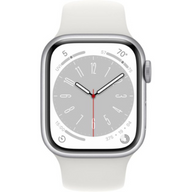






Demystifying Apple Watch Water Resistance: Your Complete Guide to Swimming, Showering, and Durability
Updated on | 9 mins readPicture this: You’re standing at the edge of a pool on a sweltering summer day. You’re ready to dive in, but as you raise your arm to adjust your goggles, you catch a glimpse of your Apple Watch. Suddenly, panic sets in. Can I swim with this? Do I need to take it off? What if I ruin it?
If you’ve ever found yourself hurriedly unbuckling your Apple Watch before jumping into the water, or frantically drying it off after getting caught in a rainstorm, you aren't alone. Water resistance is one of the most talked-about, yet least understood, features of modern wearable tech.
Whether you’ve just purchased your first Plug Certified Apple Watch or you've been wearing one for years, understanding exactly what your device can and cannot handle in the water is crucial for protecting your investment. Let’s dive deep into the truth about Apple Watch water resistance, clear up the confusing tech jargon, and explore exactly how to care for your device.
Waterproof vs. Water Resistant: The "50-Meter" Misunderstanding
The biggest "aha moment" for most Apple Watch owners comes from understanding one fundamental truth: No Apple Watch is waterproof. They are water resistant.
But what does that actually mean? If you look at the specifications for most Apple Watch models (Series 2 and later), you’ll see they are rated as "water resistant up to 50 meters" under ISO standard 22810:2010.
Naturally, you might think, “Great! I can dive 164 feet underwater with this watch!”
Not quite.
That 50-meter rating is based on a static pressure test. Imagine slowly lowering a watch into perfectly still water until it reaches 50 meters of depth. That’s what the watch can survive. But real life isn't perfectly still. When you swim, dive, or even just move your arm forcefully underwater, you create dynamic pressure. Swinging your arm during a butterfly stroke just a few feet below the surface can create the same pressure against the watch's seals as resting quietly at 50 meters.
Understanding this difference between static depth and dynamic pressure is the key to knowing exactly what activities your Apple Watch can safely handle.
Decoding Your Device: What Your Apple Watch Can Actually Handle
Not all Apple Watches are created equal when it comes to aquatic adventures. Here is a breakdown of what to expect based on the model you own.
The Splash Guard: Apple Watch Series 1
If you have an original Apple Watch or a Series 1, your device is purely splash and water-resistant.
- Safe: Sweating during a workout, washing your hands, getting caught in light rain.
- Not Safe: Submerging it in water, swimming, showering.
The Swimmer’s Companions: Series 2 through 9 and SE
This is where the "50-meter" rating comes into play. These models are designed for shallow-water activities.
- Safe: Swimming in a pool or the ocean, shallow snorkeling, taking a shower.
- Not Safe: Scuba diving, waterskiing, surfing, or any activity involving high-velocity water or deep submersion.
The Deep Diver: Apple Watch Ultra & Ultra 2
Built for extreme environments, the Ultra models carry a much higher water resistance rating (100 meters) and meet the EN13319 standard, which is the internationally recognized standard for dive computers.
- Safe: Recreational scuba diving (up to 40 meters), high-speed water sports, kite surfing.
- Not Safe: Deep technical diving below 40 meters.
The Magic of Water Lock (And What It Actually Does)
One of the most misunderstood features of the Apple Watch is the "Water Lock" function—the little water droplet icon in your Control Center.
Many users assume that tapping this button physically seals the watch, closing off vents or activating some sort of internal forcefield to keep water out. In reality, your Apple Watch is always exactly as water-resistant as its physical seals allow, whether Water Lock is turned on or not.
So, what does Water Lock actually do?
- It freezes your screen: Water conducts electricity. When water touches a capacitive touch screen, your watch thinks a finger is tapping it. Turning on Water Lock disables the touch screen so the water doesn't accidentally pause your workout, dial a random contact, or delete an app.
- It expels water: When you turn Water Lock off (by pressing and holding the Digital Crown), the watch plays a specific, low-frequency tone. This sound vibration acts like a sonic boom, literally blasting the water out of the speaker cavity.
The Hidden Enemies of Water Resistance
Water resistance isn’t a permanent condition. Over time, the seals and adhesives that keep water out of your device naturally begin to degrade. However, certain daily habits can aggressively accelerate this wear and tear.
If you want your Plug Certified device to last as long as possible, be aware of these hidden enemies:
- Soaps and Shampoos: While showering with your Apple Watch (Series 2 or later) is technically fine, exposing it to soaps, shampoos, and conditioners is not. The surfactants in soap break down the water-resistant acoustic membranes and seals over time.
- Sunscreen and Lotions: Similar to soap, the chemicals in these products degrade the watch's protective barriers.
- High-Velocity Water: Jumping off a high diving board or wearing your watch while jet skiing forces water against the seals at a pressure they weren't designed to withstand.
- Heat and Steam: Saunas and steam rooms are a hard "no" for most Apple Watches. Heat causes materials to expand, compromising the seals and allowing moisture to sneak inside.
Caring for Your Plug Certified Apple Watch
When you purchase a Plug Certified Apple Watch, you’re getting a device that has undergone rigorous testing and certification by Plug to ensure it meets strict functionality and appearance standards. To maintain that quality—especially its water resistance—a little preventative care goes a long way.
The Post-Swim RitualWhenever you swim in a chlorinated pool or the salty ocean, you must rinse your Apple Watch under warm, gently running fresh water afterward. Chlorine and salt are highly corrosive; if left to dry on the watch, they will eat away at the seals. After rinsing, dry it thoroughly with a lint-free cloth and activate the Water Lock ejection sequence to clear the speakers.
Choose the Right BandYour watch might be ready for a swim, but your band might not be. Leather bands and stainless steel link bracelets are not water-resistant. Subjecting them to water will cause them to warp, rust, or degrade. Always swap to a silicone, fluoroelastomer, or woven nylon sport band before hitting the water.
Frequently Asked Questions
Can I wear my Apple Watch in the shower?
Yes, if it is a Series 2 or newer. However, you should avoid getting soaps, shampoos, or body washes on the watch, as these chemicals degrade the water-resistant seals over time.
Does water resistance fade on pre-owned watches?
Water resistance naturally fades over time on all watches, regardless of whether they are brand new or Plug Certified. Everyday bumps, exposure to chemicals, and normal aging of adhesives all play a role. Because you can't have an Apple Watch resealed, it's always best to practice good maintenance habits to prolong the life of the seals.
What should I do if my Apple Watch gets water damaged?
If your watch screen goes black or acts erratically after water exposure, do not plug it into a charger. Let it dry completely in a well-ventilated area for at least 24 hours. If you purchased your device from Plug, check your coverage under Plug's 12-Month Warranty, which provides peace of mind for your tech investments.
Do I need to turn on Water Lock before I get in the pool?
No, it isn't mandatory for the safety of the watch. However, if you start a swimming workout in the Workout app, your Apple Watch will automatically turn on Water Lock to prevent the water from interacting with your screen.
Next Steps: Dive Deeper into Your Tech Journey
Understanding the limits and capabilities of your Apple Watch is the first step toward getting the absolute most out of your technology. By respecting the difference between waterproof and water-resistant, keeping harmful chemicals away from your device, and practicing good post-swim maintenance, you can ensure your wearable companion stays on your wrist for years to come.
Whether you're tracking your laps in the local pool, mapping your morning run, or just staying connected on the go, knowing how to care for your devices gives you the confidence to live your life without tech anxiety.
If you found this guide helpful, there is a whole world of tips, tricks, and tech insights waiting for you. Continue exploring to learn more about how you can extend the battery health of your iPhone, optimize your tech ecosystem, and make smart, sustainable choices with Plug Certified devices.


