











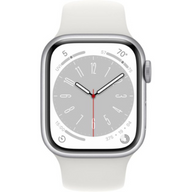






Maximizing Battery Health on Your Plug Certified Apple Watch: Tips and Best Practices
Updated on | 8 mins readImagine strapping on your newly arrived, Plug Certified Apple Watch. It looks flawless, operates seamlessly, and syncs instantly with your iPhone. But as you go about your day—tracking a morning run, receiving text notifications, and tapping your wrist to pay for coffee—a familiar anxiety might begin to creep in: How long is this battery actually going to last?
When buying pre-owned electronics, battery performance is universally the number one concern. Fortunately, modern lithium-ion technology combined with smart software has fundamentally changed how our devices age.
Whether you're new to the Apple ecosystem or just want to get the most out of your latest upgrade, understanding the science behind your wearable's battery will transform the way you use it. Let's demystify battery health, debunk some common charging myths, and explore the best practices to keep your device running perfectly all day long.
What Exactly is Battery Health?
First, we need to separate two terms that are often confused: battery life and battery health.
- Battery Life is how long your device runs before it needs to be recharged (e.g., "My watch lasted 18 hours today").
- Battery Health is the total lifespan of the battery before it physically degrades and holds less charge than it did when it left the factory (e.g., "My battery capacity is at 88%").
Think of a lithium-ion battery like a muscle. When you work a muscle hard without letting it rest, it fatigues. Similarly, battery chemistry degrades naturally over time through what are called "charge cycles." One charge cycle happens when you use 100% of your battery's capacity—but not necessarily all in one go. You could use 50% today, recharge it, and use 50% tomorrow; that counts as one cycle.
The 80% Rule and Your Plug Certified Device
When people consider buying pre-owned technology, a common question pops up: are refurbished iPhone batteries good? The same skepticism often applies to Apple Watches.
Here is the industry secret: Apple designs its batteries to retain up to 80% of their original capacity after 1,000 complete charge cycles. When a device is Plug Certified, it has undergone rigorous testing to guarantee that its battery health is above that critical 80% threshold. This means your pre-owned watch still has vast reserves of chemical life left, providing optimal performance without unexpected shutdowns.
Daily Habits to Maximize Battery Longevity
The way you charge your device has a profound impact on its chemical aging. Let's clear up a massive myth right now: leaving your device plugged in overnight does not overcharge the battery.
However, holding a lithium-ion battery at exactly 100% for long periods does cause microscopic stress. To combat this, Apple introduced brilliant machine-learning features:
1. Optimized Battery ChargingWhen enabled, your Apple Watch learns your daily routine. If you charge your watch overnight, it will quickly charge to 80%, and then pause. It waits until just before you normally wake up to trickle-charge that final 20%. This minimizes the time the battery spends under the stress of a 100% charge.
2. Optimized Charge LimitOn newer models, the watch might even decide not to charge to 100% at all if it knows you won't need that much power based on your daily usage patterns. Let the software do the heavy lifting!
Tech Tip: Unlike older electronics where users constantly had to search for tricks like smart battery calibration Samsung to fix battery indicator issues, Apple's built-in software dynamically recalibrates in the background. You don't need to manually drain your watch to zero to "reset" it.
Settings That Save Daily Power
To extend your daily Apple Watch battery life, small adjustments make a massive difference. You don’t need to sacrifice your user experience; you just need to optimize it.
- Manage Background App Refresh: Your watch constantly pulls data from your iPhone for apps you aren't actively using. Go to Settings > General > Background App Refresh and turn off the toggle for apps that don't need up-to-the-minute updates (like games or calculators).
- Reduce Brightness: The OLED screen is beautiful, but it draws significant power. Lowering the brightness by just one notch can add hours to your daily use.
- Utilize Low Power Mode: Introduced in watchOS 9, this is a lifesaver. When your battery dips below 10%, toggling on Low Power Mode disables always-on display and background heart rate measurements, squeezing out essential extra hours to ensure your watch doesn't die before you get home.
The Invisible Enemy: Temperature
If there is one thing lithium-ion chemistry hates more than being at 0%, it's extreme heat. Exposing your Apple Watch to ambient temperatures higher than 95° F (35° C) can permanently damage battery capacity.
If you're lounging by the pool or leaving your watch in a hot car during a beach trip, the battery will age at an accelerated rate. If your watch ever feels noticeably hot while charging, take it off the charger and move it to a cooler room.
Knowing When to Seek a Replacement
Even with perfect habits, batteries are consumable components. Eventually, they will age. You might notice your device lagging slightly or requiring mid-day top-offs.
If your battery health dips below 80% over the years, you will likely experience a noticeable drop in performance. This is the time to look into an Apple Watch battery replacement.
The beautiful part about shopping with confidence is knowing you are protected. Should a battery defect occur early on, Plug's 12-Month Warranty ensures you are never left with a device that doesn't meet rigorous performance standards.
Frequently Asked Questions (FAQ)
How do I check my Apple Watch battery health?It's simple. On your Apple Watch, press the digital crown, go to Settings > Battery, and scroll down to tap Battery Health. Here, you will see your Maximum Capacity percentage.
Is 85% battery health good?Absolutely. Anything 80% or above is considered peak performance capacity by manufacturer standards. An 85% capacity will easily get you through a full day of typical usage.
Does my iPhone battery behave the same way?Yes! The lithium-ion chemistry is virtually identical across the ecosystem. Because of this, customers expanding their tech suite frequently ask us: what kind of battery life can i expect from a refurbished iPhone 14? or when should i replace my iPhone 16 battery and how much does it cost? The short answer is that any certified by Plug phone or watch follows the exact same stringent 80%+ standard, giving you years of reliable life.
Next Steps for Tech Enthusiasts
Maintaining your Apple Watch battery doesn't require a degree in electrical engineering. By utilizing built-in software tools like Optimized Battery Charging, turning off unnecessary background refreshes, and keeping the device out of the scorching sun, you'll ensure your wearable stays highly functional for years to come.
Ready to expand your connected ecosystem without breaking the bank? Whether you are looking for an iPhone 15 to pair with your watch or simply want to explore high-quality technology that supports a more sustainable future, exploring Plug Certified devices is your gateway to premium tech at accessible prices.


